

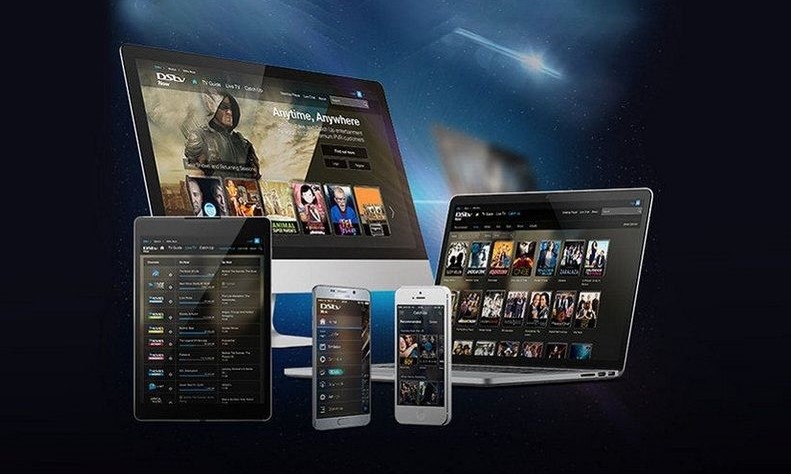

Subscribers of DStv can now watch their favourite DStv channels on their phones on the DStv Now App.
This, according to Cecil Sunkwa Mills, General Manager of MultiChoice Ghana, is to make their services more accessible to their customers.
“Our mission is to deliver value to our customers by making great entertainment more accessible and affordable,” he stated.
DStv Now is a value-added service from MultiChoice Ghana that allows DStv subscribers to stream live TV via the App on their desktops, laptops, smartphones or tablets.
Unlike the earlier DStv Mobile service which required subscribers to purchase the handheld Walka device, DStv Now requires a good internet connection and one can view DStv shows on the chosen device.
Mr. Sunkwa Mills has explained that MultiChoice is always finding and developing products and services to meet the needs of their customers anytime, anywhere and in the most convenient manner.
“Whether it’s local telenovelas, the excitement of world class sport or the latest global blockbusters, our investment in leading-edge content and technology systems deliver the shows that people love into their hands through this innovative service DStv Now. With DStv Now, bad weather and power cuts interrupting your viewing experience will be a thing of the past as you watch on your device of choice,” he further noted.
The DStv Now App is available for free download at the google play store or App store. With an active DStv subscription one would have to complete the registration in the App and then link up to four devices to their accounts at no additional monthly cost.

What you need to Use DStv Now
- An active DStv Premium, Compact Plus, Compact, Family of Access package
- An Internet enabled PC, Mac, Android or IOS phone or tablet
- DStv Now App for Android or iOS.
- A DStv Connect ID (easy to register, requires your smart card number)
- An Internet Connection (Broadband connection like Wi-Fi, 3G, 4G LTE)
- A Data Plan (Preferably an unlimited Data plan)
With DStv Now you can watch live TV on up to four devices, though only two can be active simultaneously at a time. Besides the watching live TV, catching up on shows you have missed the App has other features beneficial to every subscriber.
Watch Live TV
On the live TV section of the App, you will find all the channels that are available on your package and the current shows airing. The channels are categorised for easy navigation into Sports, General Entertainment, News & Commerce, Music, Documentary, Children, Lifestyle & Culture, and Religion.
Catch up
This feature keeps a catalog of the most popular shows and series on DStv and saves them for you to watch at a convenient time as it is a Video on Demand service. You may either stream the episode or download it so that you can watch offline later.
Parental Control
There is plenty to watch on Live TV and Catch up for kids on the App and parents or guardians can restrict what content their children can have access to by setting up a PIN. With this, your kids are protected from exposure to inappropriate content.
Full TV Guide
DStv Now comes with an 8-day Programme Guide. On the TV Guide, you can watch a programme live if it is currently airing live. You can also set a reminder if the programme is upcoming.
How to Save Data on DSTV Now
Using DSTV Now involves streaming or downloading of videos which means data is being consumed. For example, watching videos in HD can consume up to 2GB for just an hour of viewing. However, you can switch the Apps settings to reduce the quality or resolution of the video to save data.
To Save Data on DSTV Now with lower video quality
- Go to the DSTV Now Menu
- Tap on Settings
- Tap on Maximum Video Quality
- Set the required video quality. Options: Highest, High, Medium, Low
With the FIFA World Cup around the corner you will not miss a single match as we would be streaming all the 64 games live on DStv Now. You can access DStv Now in all countries within sub Saharan Africa where there is a MultiChoice operation.
–
By: Kwame Dadzie/citifmonline.com/Ghana